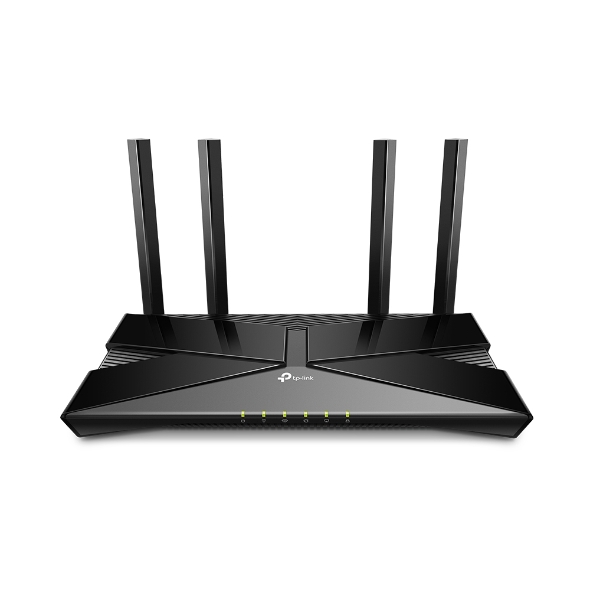
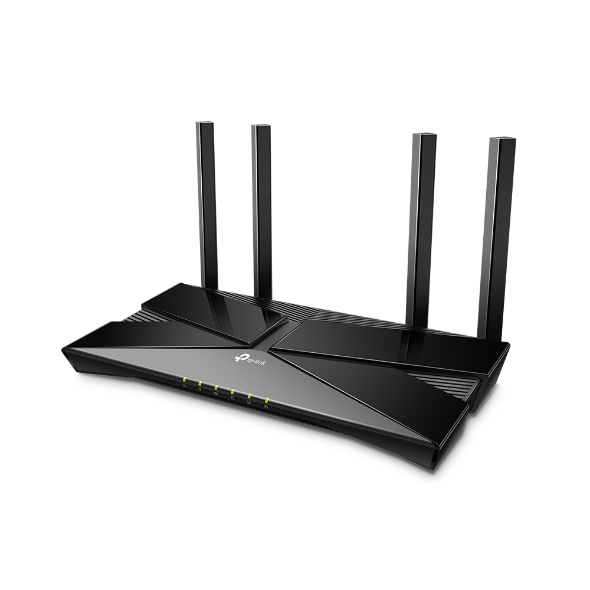
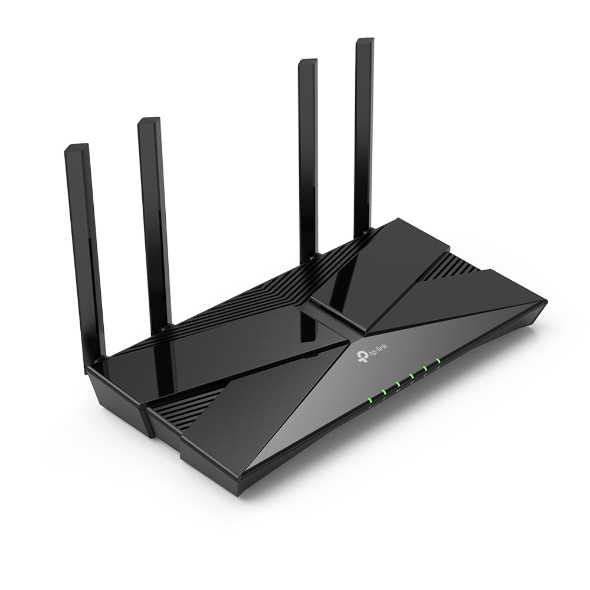
AX1800 Dual-Band Wi-Fi 6 Router
AX1800
Super-Fast Speed
Universal ISP Support
PPPoE, L2TP, PPTP, Dynamic IP, Static IP
4 High-Performance Antennas + Beamforming
The latest generation of WiFi technology brings faster speeds, less lag, and higher capacity, enabling more simultaneous connections on your home network.
Learn more about WiFi 6
Transfer HD movies in 10 seconds. WiFi 6's 1024-QAM improves encoding efficiency by 25% while the improved symbol rate boosts data rate by 11%. Enjoy broader bandwidth while streaming content on multiple devices.†
Enjoy smooth gaming, video streaming, and live feeds simultaneously. OFDMA strengthens your WiFi by allowing multiple clients to share one band at the same time, cutting latency and jitter.§
4× high-performance external antennas boost WiFi signals throughout your home. Beamforming technology detects devices and concentrates wireless signal strength towards them, especially for those in previously hard-to-reach areas.
If you have any dead zones at home, just add another EasyMesh-compatible devices to further form your whole home mesh WiFi. No more searching for a stable connection.◇
Learn more about EasyMesh >
EasyMesh Devices
(Router + Range Extender)
Traditional Router
with Extender Wi-Fi
WiFi Dead Zone Killer
Eliminate weak signal areas with WiFi coverage for the whole house
Uninterrupted streaming when moving around your home
No more switching WiFi network names
The latest WiFi security protocol, WPA3, brings new capabilities to improve cybersecurity in personal networks. More secure encryption in WiFi password safety and enhanced protection against brute-force attacks combine to safeguard your home WiFi.*
Learn More about WPA3 >
Europe has the most diverse connection types, and TP-Link knows this. Archer AX23 works with all European ISPs by supporting most authentication methods, including the popular L2TP and PPTP methods in your region.
Supported Authentication Methods
PPPoE · L2TP · PPTP · Dynamic IP · Static IP
Whether you prefer the intuitive Tether app or TP-Link’s powerful web interface, you can set up your Archer AX23 in minutes.
The Tether app allows you to manage network settings from any Android or iOS device.
Learn more about the Tether app >
Block inappropriate content for your children, and customize a time range for better online habits.
Tired of upgrading firmware? OTA updates enable easy firmware upgrades with a click in the management panel. To keep your security and functions always up-to-date, just turn on the auto schedule.
| Standards and Protocols |
Wi-Fi 6IEEE 802.11ax/ac/n/a 5 GHzIEEE 802.11ax/n/b/g 2.4 GHz |
| WiFi Speeds |
AX18005 GHz: 1201 Mbps (802.11ax)2.4 GHz: 574 Mbps (802.11ax) |
| WiFi Range |
2-3 Bedroom Houses4× Fixed High-Performance AntennasMultiple antennas form a signal-boosting array to cover more directions and large areasBeamformingConcentrates wireless signal strength towards clients to expand WiFi range |
| WiFi Capacity |
HighDual-BandAllocate devices to different bands for optimal performanceAirtime FairnessImproves network efficiency by limiting excessive occupation4 StreamsConnect your devices to more bandwidth |
| Working Modes |
Router ModeAccess Point Mode |
| Network Security |
SPI FirewallAccess ControlIP & MAC BindingApplication Layer Gateway |
| Guest Network |
1× 5 GHz Guest Network1× 2.4 GHz Guest Network |
| VPN Server |
• OpenVPN Server• PPTP VPN Server• WireGuard VPN Server |
| VPN Client |
• OpenVPN Client• PPTP VPN Client• WireGuard VPN Client |
| WiFi Encryption |
WPAWPA2WPA3WPA/WPA2-Enterprise (802.1x) |
| Ethernet Ports |
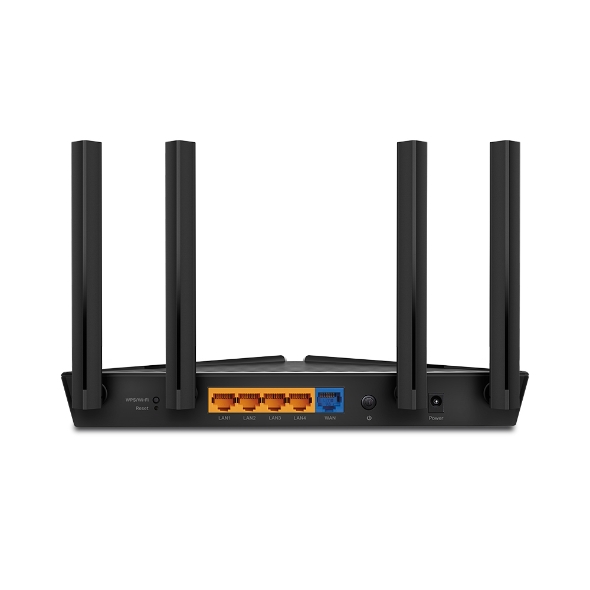
1× Gigabit WAN Port4× Gigabit LAN Ports |
| Buttons |
WPS/Wi-Fi ButtonPower On/Off ButtonReset Button |
| Power |
12 V ⎓ 1 A |
| Protocols |
IPv4IPv6 |
| EasyMesh |
Mesh networking creates smooth, fast, stable roaming. Archer AX23 can flexibly build an EasyMesh network with EasyMesh-Compatible devices, which eliminates Wi-Fi dead zones, expand your network, and fill your entire home with high-speed Wi-Fi. Seamless Wi-Fi connections with one network name, one-click setting and flexible scalability. Learn More> |
| Parental Controls |
URL FilteringTime Controls |
| WAN Types |
Dynamic IPStatic IPPPPoEPPTPL2TP |
| Quality of Service |
QoS by Device |
| Cloud Service |
OTA Firmware UpgradeTP-Link IDDDNS |
| NAT Forwarding |
Port ForwardingPort TriggeringDMZUPnP |
| IPTV |
IGMP ProxyIGMP SnoopingBridgeTag VLAN |
| DHCP |
Address ReservationDHCP Client ListServer |
| DDNS |
TP-LinkNO-IPDynDNS |
| Management Features |
Tether AppWebpageCheck Web Emulator> |
| Network Services Enabled by Default |
Web ServerManage and configure device through web (HTTP/HTTPS)• Port: 80/443 Protocol: TCPDNSDNS• Port: 53 Protocol: TCP & UDPDHCP ServerIP address assignment (DHCP)• Port: 67 Protocol: UDPApp managementManage and configure device through app• Port: 20001 Protocol: TCP• Port: 30001 Protocol: TCP• Port: 20002 Protocol: UDP |
| System Requirements |
Internet Explorer 11+, Firefox 12.0+, Chrome 20.0+, Safari 4.0+, or other JavaScript-enabled browserCable or DSL Modem (if needed)Subscription with an internet service provider (for internet access) |
| Certifications |
FCC, CE, RoHS |
| Environment |
Operating Temperature: 0℃~40℃ (32℉ ~104℉)Storage Temperature: -40℃~70℃ (-40℉ ~158℉)Operating Humidity: 10%~90% non-condensingStorage Humidity: 5%~90% non-condensing |
| WiFi Transmission Power |
CE: <20dBm(2.4 GHz)<23dBm(5.15 GHz~5.25 GHz)FCC:<30dBm(2.4 GHz & 5.15 GHz~5.825 GHz) |
| Dimensions (W×D×H) |
10.2 × 5.3 ×1.5 in(260.2 × 135.0 × 38.6 mm) |
| Package Content |
Wi-Fi Router Archer AX23Power AdapterRJ45 Ethernet CableQuick Installation Guide |