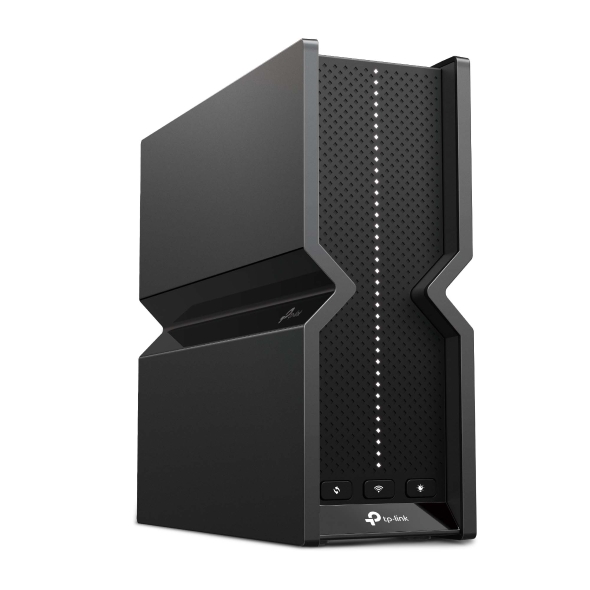
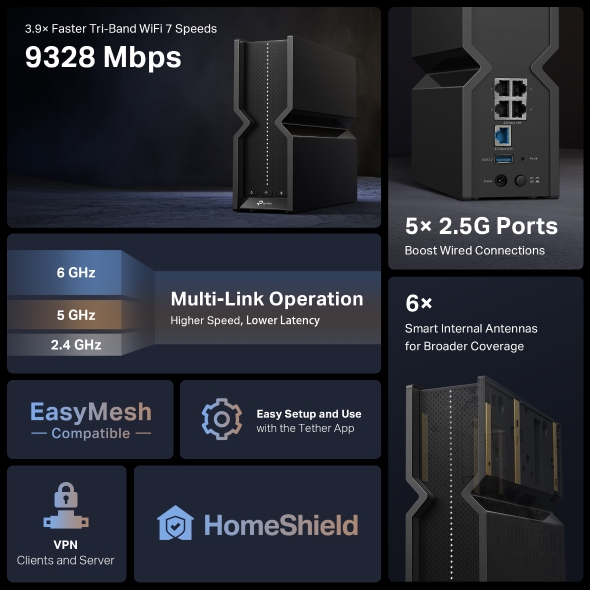
3.9× Faster Tri-Band WiFi 7 Speeds
Boost Wired Connections
Optimally Positioned Internal Antennas for Broader Coverage
Faster Speed, Lower Latency
WiFi 7 offers accelerated throughput, lower latency, stronger anti-jamming, and higher efficiency. Join the league of pros and experience the sheer performance of the next generation of WiFi.
Watch Video Learn more about WiFi 7
Doubles the width, doubles the speed§◇
How Does 320 MHz Work? >
Packs 20% more data than WiFi 6 for higher speeds §
How Does 4K-QAM Work? >
Increases throughput, reduces latency, and improves reliability§
Makes full use of every resource for maximum efficiency§
How Does Multi-RUs Work? >
Enjoy smooth 8K streaming, VR/AR, video conferencing, online gaming, and high-speed downloading.
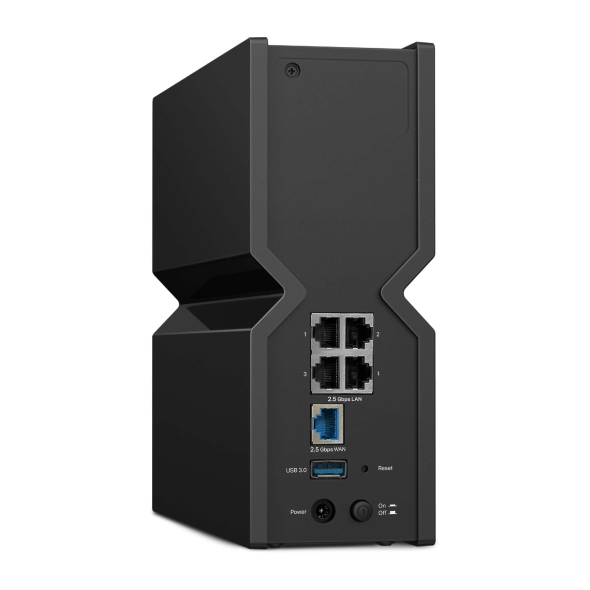
One 2.5 Gbps WAN port maximizes home internet speeds with up to 2.5× the wired speed of a typical Gigabit Ethernet port. The additional four 2.5 Gbps LAN ports make Archer BE550 an ideal solution for future-proofing your home network.☆ Let’s begin the unprecedented smooth game!
4× 2.5 Gbps LAN Ports
Proprietary WiFi optimization and 6× optimally positioned antennas boost WiFi signals throughout your home.
Beamforming Technology
Detects devices and concentrates signals towards them, especially to previously hard-to-reach areas.
Archer BE550 is EasyMesh-compatible. If you have any dead zones at home, just add another EasyMesh router/range extender to further form your whole home multi-gigabit mesh WiFi. No more searching for a stable connection. ※
Learn more about EasyMesh >
WiFi Dead Zone Killer
Eliminate weak signal areas with WiFi coverage for the whole house
Smart Roaming ※
Uninterrupted streaming when moving around your home
One WiFi Name
No more switching WiFi network names
Unified Management ※
Manage your whole home WiFi from the central node via the Tether app/Web UI
Whether you prefer the intuitive Tether app or TP-Link’s powerful web interface, you can set up your Archer BE550 in minutes. The Tether app allows you to manage network settings from any Android or iOS device.
Learn more about the Tether app >
Block inappropriate content for your children and customize a time range for better online habits.
You will be notified by your phone when new devices connect. Kick off any suspicious connections and block them. It’s as simple as that.
Tired of upgrading firmware manually? OTA updates simplify firmware upgrades with a click in the management panel. To keep your security and functions always up to date, just turn on the auto schedule.
Allow devices in your home network to access remote VPN servers without needing to install VPN software on every device. Archer BE550 can run both the VPN and ordinary internet connections at the same time, delivering security and flexibility.
Learn more about VPN >
Encryption VPN Connection (OpenVPN/ PPTP/L2TP/WireGuard VPN)
With TP-Link HomeShield, enjoy advanced security features that deliver a safe environment that protects your family and network's data and privacy.*
Learn more about HomeShield >
Real-time network scanner to detect potential threats and security issues.
Manage time online and block inappropriate content to keep your family safe online.
Assign your favorite devices to have the fastest connections for top performance.
Set up a separate WiFi for IoT devices and overlay HomeShield and advanced WPA3 encryption** to better protect the security of your home network and IoT devices.
| WiFi Speeds |
BE9300• 6 GHz: 5760 Mbps (802.11be)• 5 GHz: 2880 Mbps (802.11be)• 2.4 GHz: 688 Mbps (802.11be) |
| WiFi Range |
4 Bedroom Houses6× Optimally Positioned AntennasMultiple antennas form a signal-boosting array to cover more directions and large areasBeamformingConcentrates wireless signal strength towards clients to expand WiFi rangeHigh-Power FEMImproves transmission power to strengthen signal coverage |
| WiFi Capacity |
HighTri-BandAllocate devices to different bands for optimal performance2×2 MU-MIMOSimultaneously communicates with multiple MU-MIMO clientsOFDMASimultaneously communicates with multiple clientsAirtime FairnessImproves network efficiency by limiting excessive occupationDFSAccess an extra band to reduce congestion6 StreamsConnect your devices to more bandwidth |
| Working Modes |
• Router Mode• Access Point Mode |
| Advanced Features |
• Multi-Link Operation (MLO)• 320 MHz Channel• 4K-QAM• Multi-RUs• EasyMesh-Compatible• Works with Alexa and Google Assistant• IoT Network |
| Network Security |
• SPI Firewall• Access Control• IP & MAC Binding• Application Layer Gateway• HomeShield SecurityReal-Time IoT ProtectionMalicious Site BlockerIntrusion Prevention SystemDDoS Attack PreventionHome Network Scanner |
| Guest Network |
• 1× 6 GHz Guest Network• 1× 5 GHz Guest Network• 1× 2.4 GHz Guest Network |
| VPN Server |
• OpenVPN Server• PPTP VPN Server• L2TP VPN Server• WireGuard VPN Server |
| VPN Client |
• Open VPN Client• PPTP VPN Client• L2TP VPN Client• WireGuard VPN Client |
| WiFi Encryption |
• WPA• WPA2• WPA3• WPA/WPA2-Enterprise (802.1x) |
| Ethernet Ports |
• 1× 2.5 Gbps WAN• 4× 2.5 Gbps LAN |
| USB Support |
1× USB 3.0• Supported Partition Formats:NTFS, exFAT, HFS+, FAT32• Supported Functions:FTP ServerMedia ServerSamba Server |
| Buttons |
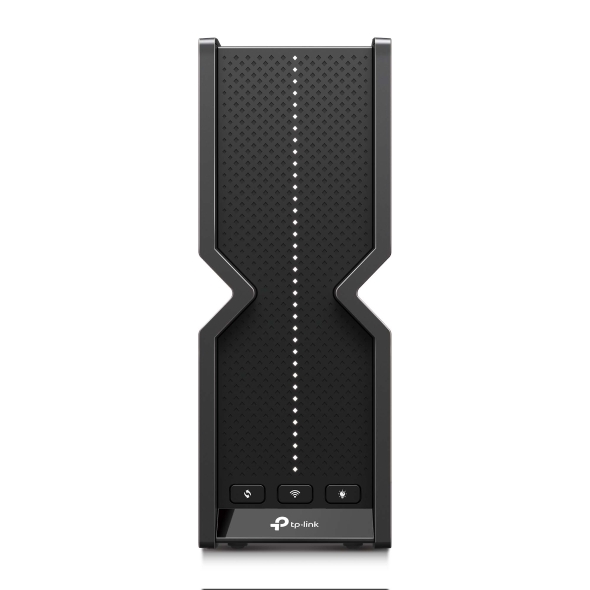
• Power On/Off Button• Wi-Fi On/Off Button• LED Button • WPS Button• Reset Button |
| Power |
12 V ⎓ 3.3 A |
| Protocols |
• IPv4• IPv6 |
| Service Kit |
HomeShieldLearn More> |
| EasyMesh |
Compatible with EasyMesh |
| Parental Controls |
HomeShield Parental ControlsCustom ProfilesProfessional Content Filter LibraryFamily TimeBedtimeOff TimeTime RewardsFamily Online Time RankingPause the InternetWeekly and Monthly Reports |
| WAN Type |
• Dynamic IP• Static IP• PPPoE• PPTP• L2TP |
| Quality of Service |
QoS by Device |
| Cloud Service |
• Auto Firmware Upgrade• TP-Link ID• DDNS |
| NAT Forwarding |
• Port Forwarding• Port Triggering• DMZ• UPnP |
| IPTV |
• IGMP Proxy• IGMP Snooping• Bridge• Tag VLAN |
| DHCP |
• Address Reservation• DHCP Client List• Server |
| DDNS |
• TP-Link• NO-IP• DynDNS |
| Management Features |
• Tether App• Webpage |
| Network Services Enabled by Default |
Web ServerManage and configure device through web (HTTP/HTTPS)• Port: 80/443 Protocol: TCPDNSDNS• Port: 53 Protocol: TCP & UDPDHCP ServerIP address assignment (DHCP)• Port: 67 Protocol: UDPApp managementManage and configure device through app• Port: 20001 Protocol: TCP• Port: 30001 Protocol: TCP• Port: 20002 Protocol: UDP |
| System Requirements |
Internet Explorer 11+, Firefox 12.0+, Chrome 20.0+, Safari 4.0+, or other JavaScript-enabled browserCable or DSL Modem (if needed)Subscription with an internet service provider (for internet access) |
| Certifications |
CE, FCC, RoHS |
| Environment |
• Operating Temperature: 0℃~40℃ (32℉ ~104℉)• Operating Humidity: 10%~90% non-condensing |
| Dimensions (W×D×H) |
3.0 × 9.1 × 8.0 in (76 × 231.7 × 203 mm) |
| Package Content |
• Wi-Fi 7 Router Archer BE550• Power Adapter• RJ45 Ethernet Cable• Quick Installation Guide |