Archer T3U

Archer T3U

$19.99
Skip to product information
Archer T3U
Out of stock

Archer T3U

$19.99

AC1300 Mini Wireless MU-MIMO U

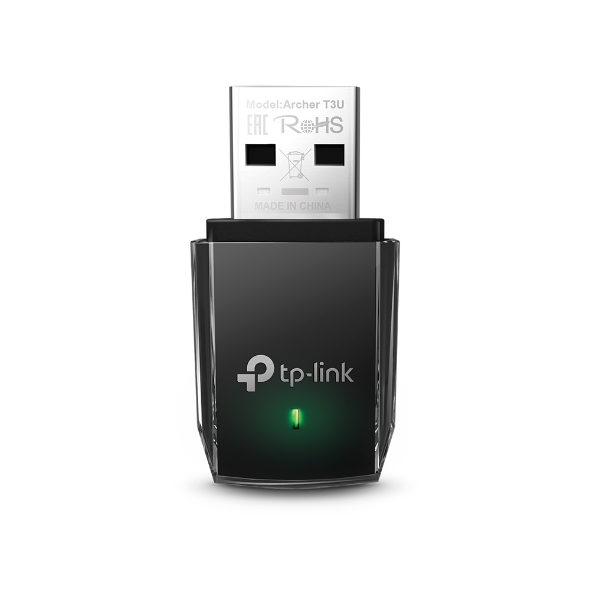
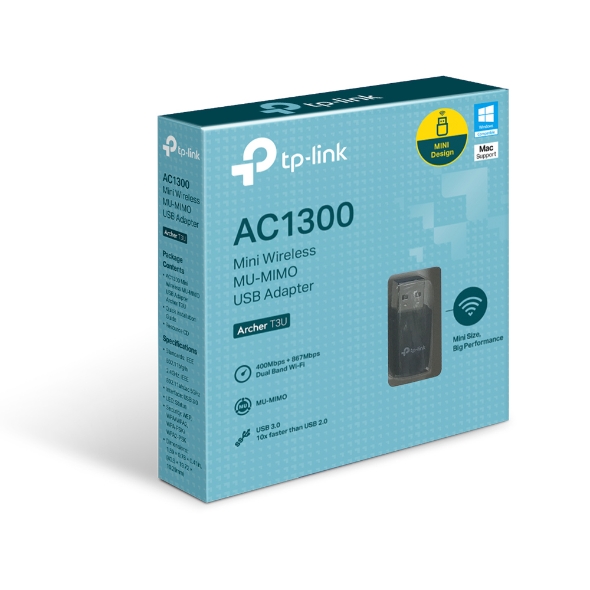
AC1300 Mini Wireless MU-MIMO USB Adapter, 400 Mpbs on 2.4GHz band and 867 Mbps on 5GHz band

AC1300 Mini Wireless MU-MIMO U

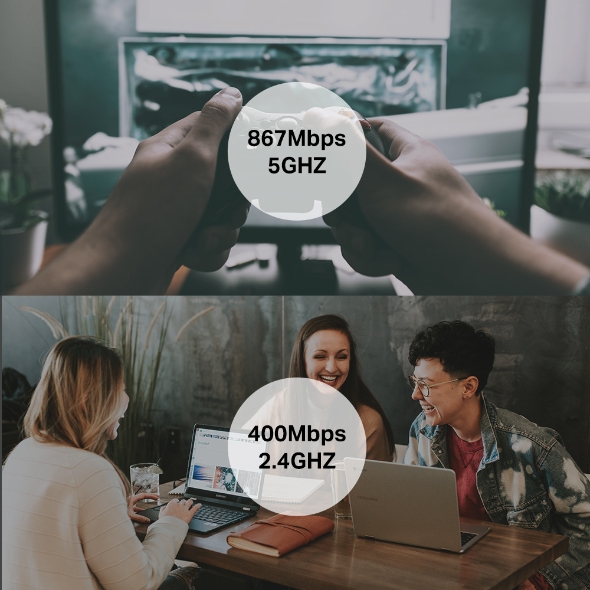
Wireless AC technology means Archer T3U delivers connections that are up to 3x faster than with the previous Wireless N standard. High-speed Wi-Fi (up to 867Mbps over the 5GHz band and 400Mbps over the 2.4GHz band) means Archer T3U is able to support all your online activities, from HD video streaming to lag-free online gaming and web surfing.† Archer T3U has a smart design that is tinier than a usual USB adapter. Not only could it be inserted into any USB port, but is quite easy to carry, which is convenient for most usage scenarios. Experience blazing-fast data transfers of up to 4.8Gbps with USB 3.0 — the latest USB connectivity standard. USB 3.0 transfers data up to 10x faster than USB 2.0 and is also backward compatible with USB 2.0. Combined with 802.11ac Wi-Fi, USB 3.0 makes Archer T3U ideal for HD streaming, online gaming, and large file downloads.§ With MU-MIMO technology, Archer T3U can provide two simultaneous data streams, improving the throughput and efficiency of the entire network when working with a compatible MU-MIMO router.‡ A friendly user interface on a CD for simple installation. WPA/WPA2 encryption standards ensure wireless connection's safety. Supports Windows11/10/8.1/8/7.△
Fabricant TP-Link
Modèle Archer T3U
UPC 840030700026
Catégorie Networking Wireless Dual Band — Adapter Cards
Poids 0.15 lbs
Dimensions (boîte) 5.5" × 5.1" × 1.2" (L×P×H)

Specifications

General

Interface USB 3.0
Dimensions ( W x D x H ) 1.59 × 0.78 × 0.41in. (40.5 × 19.72 × 10.29mm)
Antenna Omni Directional
Wireless Standards IEEE 802.11ac, IEEE 802.11a,IEEE 802.11n, IEEE 802.11g, IEEE 802.11b
Frequency 5GHz2.4GHz
Signal Rate 5GHz11ac: Up to 867Mbps(dynamic)11n: Up to 300Mbps(dynamic)11a: Up to 54Mbps(dynamic)2.4GHz11n: Up to 400Mbps(dynamic)11g: Up to 54Mbps(dynamic)11b: Up to 11Mbps(dynamic)
Reception Sensitivity 5GHz:11a 6Mbps: -91dBm11a 54Mbps: -76dBm11n HT20:-71dBm11n HT40:-70dBm11ac HT20: -68dBm11ac HT40: -64dBm11ac HT80: -62dBm2.4GHz:11b 11Mbps: -86dBm11g 54Mbps: -73dBm11n HT20: -71dBm11n HT40: -70dBm
Wireless Modes Ad-Hoc / Infrastructure Mode
Wireless Security Support 64/128 bit WEP, WPA/WPA2, WPA-PSK/WPA2-PSK
Modulation Technology DBPSK, DQPSK, CCK, OFDM, 16-QAM, 64-QAM, 256-QAM
Transmission Power <23dBm (EIRP)
Certification CE, FCC, RoHS
Package Content AC1300 Mini Wireless MU-MIMO USB Adapter Archer T3UQuick Installation GuideResource CD
System Requirements Windows 11/10/8.1/8/7/XP
Environment Operating Temperature: 0℃~40℃ (32℉~104℉)Storage Temperature: -40℃~70℃ (-40℉~158℉)Operating Humidity: 10%~90% non-condensingStorage Humidity: 5%~90% non-condensing
ProductProductProductProductProductProduct
General
Interface USB 3.0
Dimensions ( W x D x H ) 1.59 × 0.78 × 0.41in. (40.5 × 19.72 × 10.29mm)
Antenna Omni Directional
Wireless Standards IEEE 802.11ac, IEEE 802.11a,IEEE 802.11n, IEEE 802.11g, IEEE 802.11b
Frequency 5GHz2.4GHz
Signal Rate 5GHz11ac: Up to 867Mbps(dynamic)11n: Up to 300Mbps(dynamic)11a: Up to 54Mbps(dynamic)2.4GHz11n: Up to 400Mbps(dynamic)11g: Up to 54Mbps(dynamic)11b: Up to 11Mbps(dynamic)
Reception Sensitivity 5GHz:11a 6Mbps: -91dBm11a 54Mbps: -76dBm11n HT20:-71dBm11n HT40:-70dBm11ac HT20: -68dBm11ac HT40: -64dBm11ac HT80: -62dBm2.4GHz:11b 11Mbps: -86dBm11g 54Mbps: -73dBm11n HT20: -71dBm11n HT40: -70dBm
Wireless Modes Ad-Hoc / Infrastructure Mode
Wireless Security Support 64/128 bit WEP, WPA/WPA2, WPA-PSK/WPA2-PSK
Modulation Technology DBPSK, DQPSK, CCK, OFDM, 16-QAM, 64-QAM, 256-QAM
Transmission Power <23dBm (EIRP)
Certification CE, FCC, RoHS
Package Content AC1300 Mini Wireless MU-MIMO USB Adapter Archer T3UQuick Installation GuideResource CD
System Requirements Windows 11/10/8.1/8/7/XP
Environment Operating Temperature: 0℃~40℃ (32℉~104℉)Storage Temperature: -40℃~70℃ (-40℉~158℉)Operating Humidity: 10%~90% non-condensingStorage Humidity: 5%~90% non-condensing

Contents not available.

Pour les questions fréquentes, consultez le centre d'aide Ubiquiti :

❓ Centre d'aide Ubiquiti

You may also like