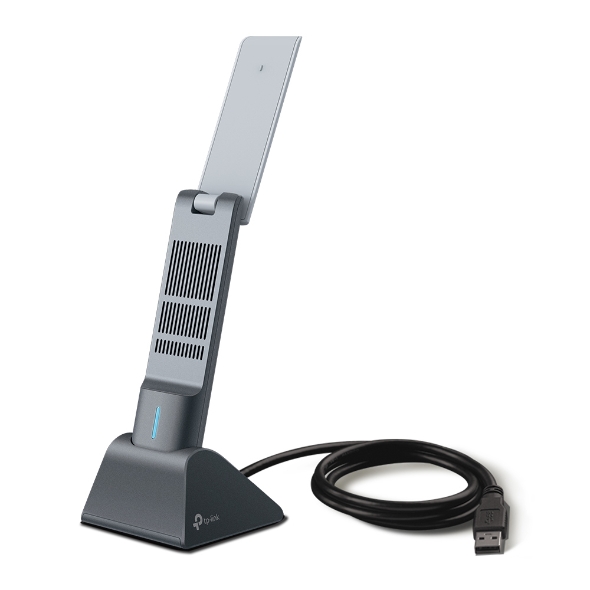
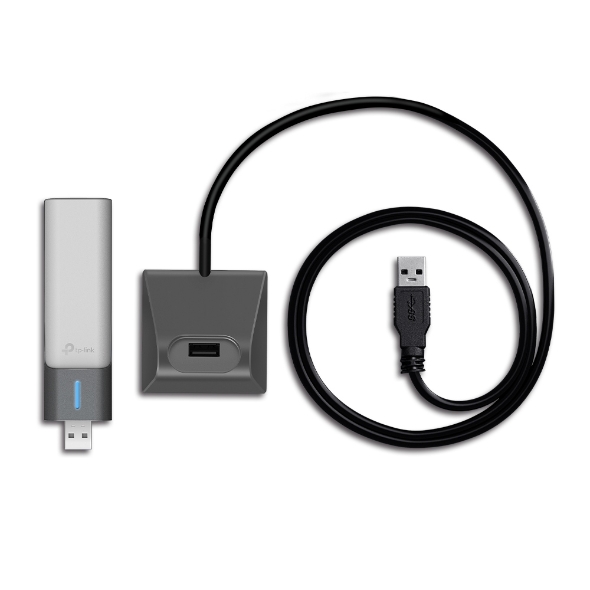
AX1800 High Gain Dual Band WiFi 6 USB Adapter1201 Mbps at 5 GHz + 574 Mbps at 2.4 GHzHigh Gain External Antennas, USB 3.0, Cradle with Extension CableMUMIMO, OFDMA, WPA3
Get notified when Archer TX20UH is back in stock.
No spam. One single email when the product is available.
You're all set! You'll receive an email as soon as the product is back in stock.
AX1800 High Gain Dual Band
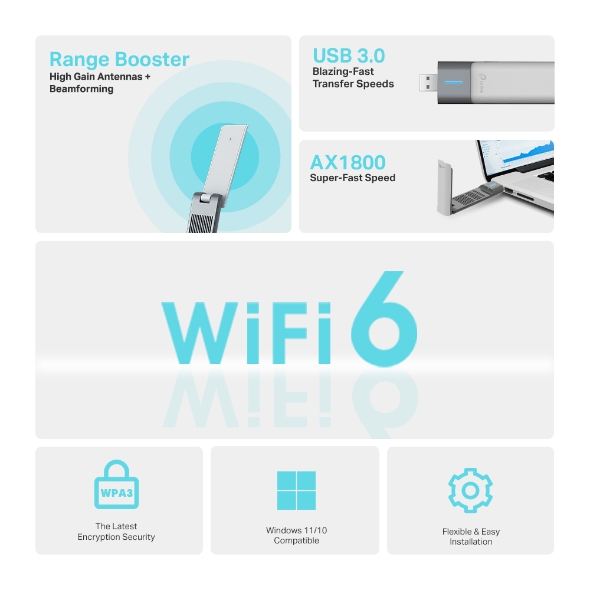
AX1800
Super-Fast Speed
Range Booster
High Gain Antennas + Beamforming
USB 3.0 Blazing-Fast Transfer Speeds
The Latest Encryption Security
Windows 11/10 Compatible
Flexible & Easy Installation
Forget about buying a new PC. TX20UH delivers powerful dual band WiFi 6 straight to your device for exceptional connectivity and speed up to 1800 Mbps.
574Mbps
2.4 GHz Band
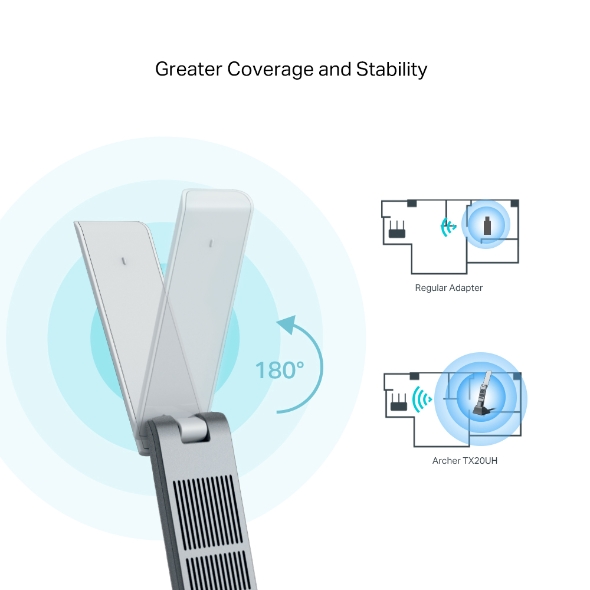
The multi-angle adjustable high-gain antennas combine with Beamforming to concentrate WiFi signals towards your router for better reception and reliable connections from far away.
Experience flawless streams, gameplay, and uploads while your network simultaneously processes bandwidth for multiple devices.
Working with a compatible router, your PC receives data at the same time as other devices on the same stream. This means next-to-nothing lag for video and games.
Experience blazing-fast data transfers of up to 4.8Gbps with USB 3.0 — the latest USB connectivity standard. USB 3.0 transfers data up to 10x faster than USB 2.0 and is also backwards compatible with USB 2.0. Combined with 802.11ac Wi-Fi, USB 3.0 makes Archer TX20UH ideal for HD streaming, online gaming and large file downloads.
A1.2-meter USB 3.0 cable makes it easy to find a spot for the Archer TX20UH in your workspace, and the adapter can be effortlessly attached removed from your computer as needed.
TX20UH comes with its driver pre-loaded. Just plug and install.
WPA3 encryption protects your PC from brute-force attacks, keeping your personal data safe.
Works with Windows 11/10
Fabricant
TP-Link
Modèle
Archer TX20UH
UPC
840030708237
Catégorie
USB Hubs & Converters — USB Bluetooth Adapters
Poids
0.5 lbs
Dimensions (boîte)
6.1" × 8" × 1.6" (L×P×H)
Specifications
General
LED
Status
Dimensions ( W x D x H )
30.5 × 14.8 × 111.7 mm (1.2 × 0.58 × 4.4 in)
Antenna
2× High-Gain Dual-Band Antennas
Wireless Standards
IEEE 802.11a/b/g/n/ac/ax
Signal Rate
5 GHz:11ax: Up to 1201 Mbps(dynamic)11ac: Up to 867 Mbps(dynamic)11n: Up to 300 Mbps(dynamic)11a: Up to 54 Mbps(dynamic)2.4 GHz:11ax: Up to 574 Mbps(dynamic)11n: Up to 400 Mbps(dynamic)11g: Up to 54 Mbps(dynamic)11b: Up to 11 Mbps(dynamic)
5 GHz:11ax: Up to 1201 Mbps(dynamic)11ac: Up to 867 Mbps(dynamic)11n: Up to 300 Mbps(dynamic)11a: Up to 54 Mbps(dynamic)2.4 GHz:11ax: Up to 574 Mbps(dynamic)11n: Up to 400 Mbps(dynamic)11g: Up to 54 Mbps(dynamic)11b: Up to 11 Mbps(dynamic)