RE450

RE450

$69.99
Skip to product information
RE450
Out of stock

RE450

$69.99

AC1750Range Extender

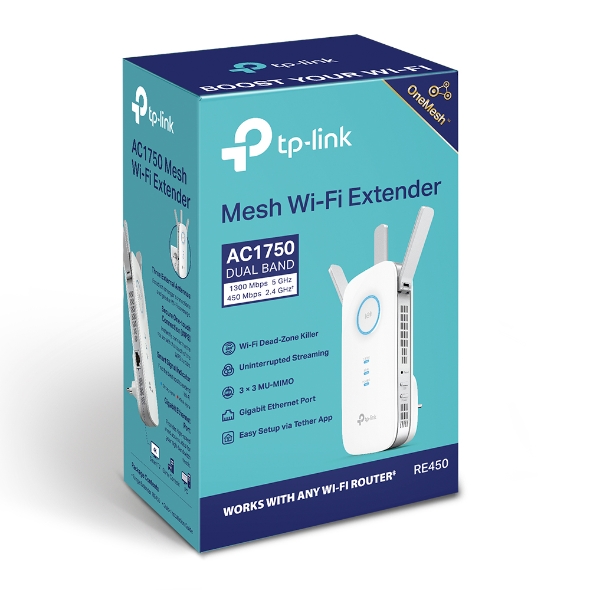
AC1750 Dual Band Wireless Wall Plugged Range Extender, QCOM, 1300Mbps at 5Ghz + 450Mbps at 2.4Ghz,

AC1750Range Extender

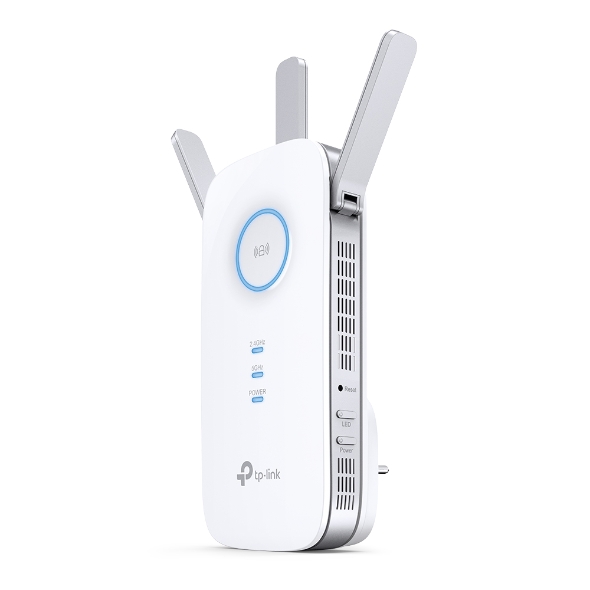
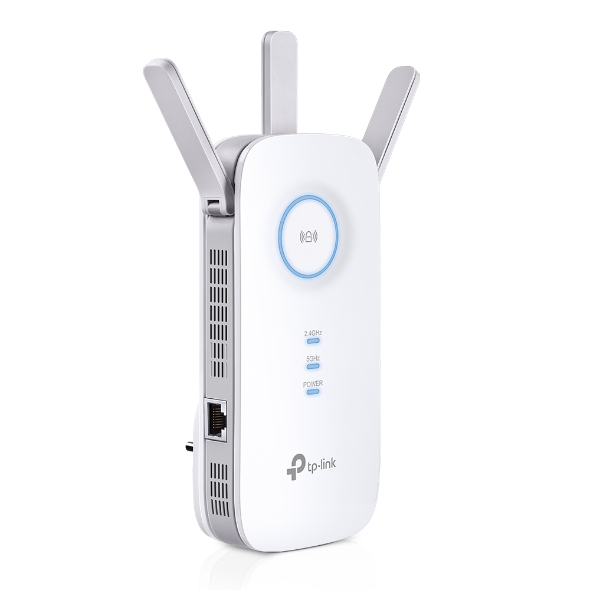
AC1750 Mesh Wi-Fi Extender If there’s a room where you can’t connect to the internet in your mid-size or bigger home, RE450 eliminates these dead zones. With three high-performance antennas, your WiFi transmits farther with stronger signals. RE450’s two bands (2.4 GHz and 5 GHz) also enable more reliable device connections. If you have any dead zones at home, just add another EasyMesh-compatible router to further form your whole home multi-gigabit mesh WiFi. No more searching for a stable connection. Learn more about EasyMesh > EasyMesh Devices (Router + Range Extender) Traditional Router with Extender Wi-Fi WiFi Dead Zone Killer Eliminate weak signal areas with WiFi coverage for the whole house Uninterrupted streaming when moving around your home§ No more switching WiFi network names For more coverage in other areas of your home, simply plug in RE450 for fast and stable WiFi. Equipped with 3 chipsets, RE450 provides high-speed data flow to your phone and laptop. TP-Link’s Beamforming tech ensures the high-quality signal is sent directly to your end devices, bringing your WiFi strength to a new level. Whether you’re binging your favorite show at the highest settings or having a meeting with your entire department, RE450’s 6-stream dual-band WiFi provides speeds up to 1.75 Gbps. With two bands, connect more devices with MU-MIMO tech letting your whole family enjoy the same strength and speed at the same time.† RE220Mainstream Product Sometimes wireless just doesn’t cut it. RE 450’s Gigabit Ethernet port supports data transmissions up to 1,000 Mbps, which is 10× faster than a fast Ethernet port (100 Mbps). This lets you enjoy peak performance for wired devices that need a constant stream of Gigabit internet. The extender RE450 works with any standard wireless router. Instantly connect the RE450 to a router by pressing the extender’s RE button followed by the router’s WPS button (if available). Once connected with an existing router, you can take RE450 anywhere within the wireless range of the existing router, no more further configurations. Find the best spot to extend your WiFi with just a glance. Set up and manage your WiFi through the TP-Link Tether app from your phone (Android, iOS), including TP-Link routers and range extenders.
Fabricant TP-Link
Modèle RE450
UPC 845973092405
Catégorie Networking Wireless Dual Band — Range Extenders
Poids 0.8 lbs
Dimensions (boîte) 8" × 5.1" × 3.5" (L×P×H)

Specifications

General

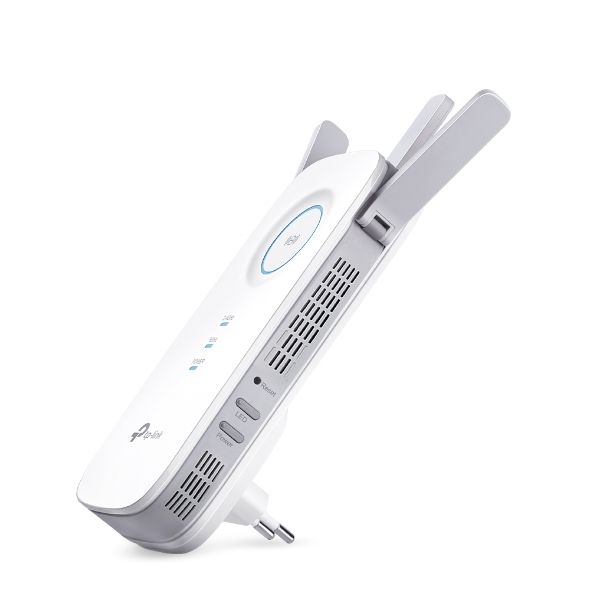
Plug Type EU, UK, US, AU, KR, JP
Interface 1 Gigabit Ethernet Port
Button WPS Button, Reset Button, LED Button, Power Button
Input Power 100-240V~50/60Hz
Max. Power Consumption 10W(max power consumption)
Dimensions ( W x D x H ) 6.4 x 3.0 x 2.6 in. (163 x 76.4 x 66.5mm)
Antenna 3 External Antennas
Wireless Standards IEEE 802.11a/n/ac 5 GHz, IEEE 802.11b/g/n 2.4 GHz
Frequency 2.4GHz and 5GHz
Signal Rate 450Mpbs at 2.4GHz, 1300Mbps at 5GHz
Working Modes Range Extender/Access Point
Reception Sensitivity 5GHz:11a 6Mbps:-93dBm11a 54Mbps: -76dBm11ac HT20 mcs8: -68dBm11ac HT40 mcs9: -64dBm11ac HT80 mcs9: -61dBm2.4GHz11g 54Mbps: -77dBm11n HT20 mcs7: -73dBm11n HT40 mcs7: -70dBm
Wireless Functions Enable/Disable Wireless RadioDFS (the latest firmware and hardware version is required)Access ControlLED ControlPower ScheduleWi-Fi Coverage
Wireless Security 64/128-bit WEP, WPA-PSK / WPA2-PSK
Transmission Power 2.4G<20dBm, 5G<23dBm
Mesh Technology EasyMesh-Compatible
Network Services Enabled by Default Web ServerManage and configure device through web (HTTP/HTTPS)• Port: 80/443   Protocol: TCPDHCP ServerIP address assignment (DHCP)• Port: 67   Protocol: UDPApp managementManage and configure device through app• Port: 20001   Protocol: TCP• Port: 20002   Protocol: UDP
Certification CE, FCC, RoHS
Package Content AC1750 Wi-Fi Range Extender RE450Quick Installation Guide
System Requirements Microsoft® Windows® 98SE, NT, 2000, XP, Vista or Windows 7, 8, 10, Mac® OS, NetWare®, UNIX® or Linux.
Environment Operating Temperature: 0°C~40°C (32°F~104°F) Storage Temperature: -40°C~70°C (-40°F~158°F)Operating Humidity: 10%~90% non-condensingStorage Humidity: 5%~90% non-condensing
ProductProductProductProductProductProduct
General
Plug Type EU, UK, US, AU, KR, JP
Interface 1 Gigabit Ethernet Port
Button WPS Button, Reset Button, LED Button, Power Button
Input Power 100-240V~50/60Hz
Max. Power Consumption 10W(max power consumption)
Dimensions ( W x D x H ) 6.4 x 3.0 x 2.6 in. (163 x 76.4 x 66.5mm)
Antenna 3 External Antennas
Wireless Standards IEEE 802.11a/n/ac 5 GHz, IEEE 802.11b/g/n 2.4 GHz
Frequency 2.4GHz and 5GHz
Signal Rate 450Mpbs at 2.4GHz, 1300Mbps at 5GHz
Working Modes Range Extender/Access Point
Reception Sensitivity 5GHz:11a 6Mbps:-93dBm11a 54Mbps: -76dBm11ac HT20 mcs8: -68dBm11ac HT40 mcs9: -64dBm11ac HT80 mcs9: -61dBm2.4GHz11g 54Mbps: -77dBm11n HT20 mcs7: -73dBm11n HT40 mcs7: -70dBm
Wireless Functions Enable/Disable Wireless RadioDFS (the latest firmware and hardware version is required)Access ControlLED ControlPower ScheduleWi-Fi Coverage
Wireless Security 64/128-bit WEP, WPA-PSK / WPA2-PSK
Transmission Power 2.4G<20dBm, 5G<23dBm
Mesh Technology EasyMesh-Compatible
Network Services Enabled by Default Web ServerManage and configure device through web (HTTP/HTTPS)• Port: 80/443   Protocol: TCPDHCP ServerIP address assignment (DHCP)• Port: 67   Protocol: UDPApp managementManage and configure device through app• Port: 20001   Protocol: TCP• Port: 20002   Protocol: UDP
Certification CE, FCC, RoHS
Package Content AC1750 Wi-Fi Range Extender RE450Quick Installation Guide
System Requirements Microsoft® Windows® 98SE, NT, 2000, XP, Vista or Windows 7, 8, 10, Mac® OS, NetWare®, UNIX® or Linux.
Environment Operating Temperature: 0°C~40°C (32°F~104°F) Storage Temperature: -40°C~70°C (-40°F~158°F)Operating Humidity: 10%~90% non-condensingStorage Humidity: 5%~90% non-condensing

Contents not available.

Pour les questions fréquentes, consultez le centre d'aide Ubiquiti :

❓ Centre d'aide Ubiquiti

You may also like