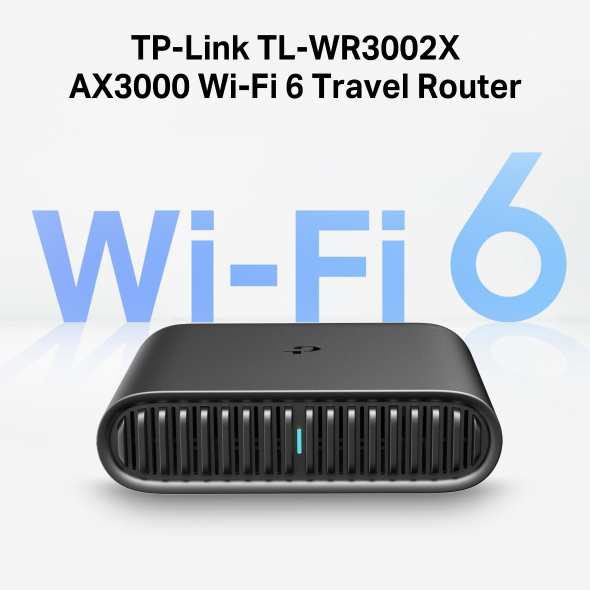
TP-Link TL-WR3002X Wi-Fi 6 IEEE 802.11 a/b/g/n/ac/ax Ethernet Wireless Router
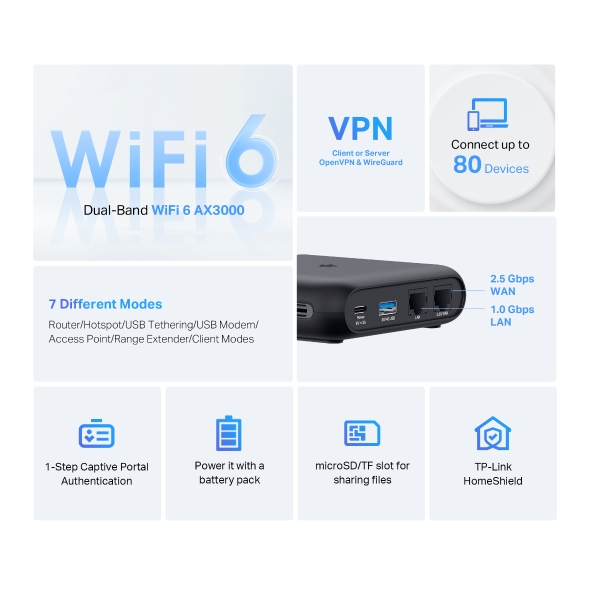
The Roam 6 has multiple functional modes to get you connected no matter where you are. It also includes several features to keep you up and running.
Connect the Roam 6 to public wi-fi and create a private network for all your devices.
Tether your smartphone or 3G/4G/5G modem to the Roam 6 via USB and share your cellular data plan across all your devices
Plug the Roam 6 into an available Ethernet port to create a Wi-Fi network with internet access for all your devices.
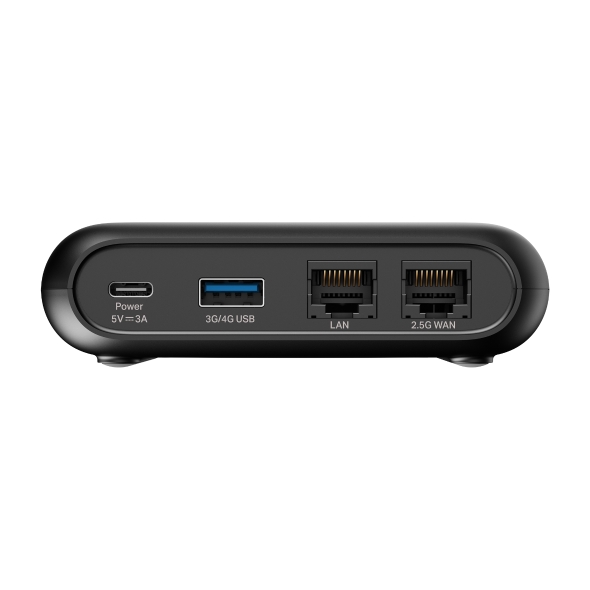
If the power is out or there are no power outlets around, you can power the Roam 6 with a portable power bank plugged into the USB-C port.
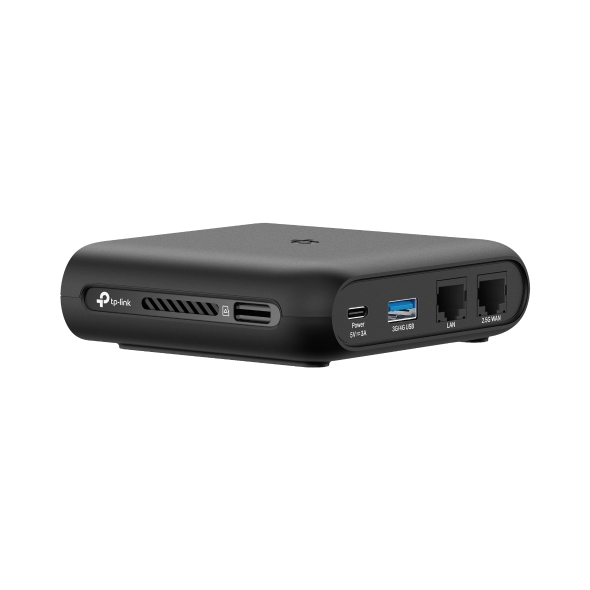
Plug in an external hard drive to the USB 3.0 port or insert a microSD card into the router’s TF card slot to easily share your files between connected devices
Manage all aspects of setting up and using the Roam 6 with the Tether app for iOS or Android. In one simple step, effortlessly complete Captive Portal Authentication to get your router online.
The Roam 6 delivers the speed and performance you need in a travel-ready size that goes wherever you do.
microSD / TF Card Slot
Creates a mobile home media hub
Enables file & USB internet sharing
Supporting OpenVPN, WireGuard®, PPTP, and L2TP VPN protocols, Roam 6 maintains your network’s privacy and security, whether working remotely or using public WiFi. It can simultaneously run a VPN and regular internet connection, offering protection and flexibility.
Learn more about VPNs >
A travel router is a compact, portable device that can create a personal Wi-Fi network wherever you are. Connect your router to the internet and all devices connected to the router can now access the internet.
The primary benefits are convenience, security, and privacy. Connect all of your devices to the travel router one time. Wherever you go after that you just need to connect the travel router to the internet and all your devices will be able to access the internet through the travel router. A travel router can help keep your devices secure on public Wi-Fi by acting as a firewall against any other device connected to the same public Wi-Fi. You can also keep your data private using the travel router's VPN capabilities to create a secure, encrypted tunnel to a VPN server.
The TL-WR3002X features multiple modes depending on the types of internet connections available to you. When you're traveling, you're most likely to use the ROUTER or HOTSPOT modes. In ROUTER mode, you can connect to an existing wired network to share the internet with multiple wireless devices, you can use your smartphone's mobile data plan to connect all your devices to the internet in USB Tethering, or you can connect a 3G/4G USB modem. In HOTSPOT mode, you can connect the travel router to public Wi-Fi and create a private network for all your devices. If you've already connected your devices to your travel router, as soon as the travel router is online, so are all your devices!
You certainly could. However, connecting to unsecured public Wi-Fi networks can put your data and your privacy at risk. Also, some Wi-Fi networks charge you per connected device or place limits on the number of devices you can connect at one time. When you use a travel router it acts as the one device connected to the public Wi-Fi network. It then creates a separate private Wi-Fi network allowing you to connect multiple devices to the internet at once.
Have you ever tried to connect to public Wi-Fi and, before you connect to the internet, a screen prompts you to provide your email address or accept some terms & conditions? That screen is called a Captive Portal. Older routers can get stuck there, unable to authenticate and connect to the internet. The Roam 6 has one-step Captive Portal Authentication that allows you to get all your devices online.
Yes! The Roam 6 supports the latest VPN standards including OpenVPN and WireGuard®, which are both supported by dozens of the leading VPN providers, along with PPTP and L2TP/IPSec. You can set up the Roam 6 so that all traffic that flows through it is securely encrypted between the router and the VPN server of your choice. Additionally, the Roam 6 can be configured as an OpenVPN or WireGuard® VPN Server.
By inserting a microSD or TF card into the slot on the side of the Roam 6, the contents of that card can be made available to all devices connected to your router. You can share photos, movies, and more across multiple devices. The Roam 6 currently supports up to 512GB microSD cards.
The USB port on the Roam 6 can be used in several ways. First, if you want to provide internet access via your smartphone or a USB modem, you will tether it to the travel router's USB 3.0 port. Doing so allows the internet to flow to and from the smartphone or modem to the router and your devices. Second, by connecting an external hard drive or thumb drive via the USB port, you can set up network-attached storage that would be available to any device connected to the travel router.
Absolutely. At home, you're most likely to use the router's AP/RE mode. Expand the reach of your home Wi-Fi network by using your travel router as a range extender or use the travel router as an access point to connect to a wired network. Alternatively, use the travel router as a wireless client to connect a wired-only device like a printer, media player, or game console to your Wi-Fi network. The travel router supports many different use cases depending on your specific scenario!
The Roam 6 Travel Router is 4.1 wide by 3.5 long by 1.1 inches tall (104 x 90 x 28 mm) and weighs about 5 ounces (28 grams). It's a little larger than a standard deck of playing cards and is designed to be portable and durable enough to toss in your backpack or luggage and go wherever you need it.
| Fabricant |
TP-Link |
| Modèle |
TL-WR3002X |
| UPC |
840460600378 |
| Catégorie |
Networking — Routers |
| Poids |
1.1 lbs |
| Dimensions (boîte) |
11.4" × 8" × 3.4" (L×P×H) |
Specifications
General
| Standards and Protocols |
Wi-Fi 6IEEE 802.11a/n/ac/ax 5 GHzIEEE 802.11b/g/n/ac/ax 2.4 GHz |
| WiFi Speeds |
AX30005 GHz: 2402 Mbps (802.11ax)2.4 GHz: 574 Mbps (802.11ax) |
| WiFi Capacity |
High Dual-BandAllocate devices to different bands for optimal performanceAirtime FairnessImproves network efficiency by limiting excessive occupation4 StreamsConnect your devices to more bandwidth |
| Working Modes |
Router ModeUSB Tethering Mode3G/4G USB Modem ModeHotspot Mode (WISP Mode)Access Point ModeRange Extender ModeClient Mode |
| Network Security |
SPI FirewallAccess ControlIP & MAC BindingApplication Layer Gateway |
| Guest Network |
1× 5 GHz Guest Network1× 2.4 GHz Guest Network |
| VPN Server |
• OpenVPN Server• PPTP VPN Server• L2TP VPN Server• Wireguard VPN Serve |
| VPN Client |
Open VPN Client• PPTP VPN Client• L2TP VPN Client• Wireguard VPN Client |
| WiFi Encryption |
WPA2-PSKWPA3-PersonalWPA/WPA2-Enterprise |
| Ethernet Ports |
2.5× Gigabit WAN Port1× Gigabit LAN Port |
| USB Support |
1× USB 3.0 Port |
| Buttons |
WPS/Reset ButtonECO Switch |
| Power |
5V/3A,External DC power adapter |
| Quality of Service |
QoS by Device |
| WAN Type |
Dynamic IPStatic IPPPPoEPPTPL2TP |
| Management Features |
Tether AppWebpage |
| DHCP |
DHCP ServerDHCP Client ListAddress Reservation |
| Protocols |
IPv4IPv6 |
| Network Services Enabled by Default |
Web ServerManage and configure device through web (HTTP/HTTPS)• Port: 80/443 Protocol: TCPDNSDNS• Port: 53 Protocol: TCP & UDPDHCP ServerIP address assignment (DHCP)• Port: 67 Protocol: UDPApp managementManage and configure device through app• Port: 20001 Protocol: TCP• Port: 30001 Protocol: TCP• Port: 20002 Protocol: UDP |
| Certifications |
FCC, CE |
| Environment |
Operating Temperature: 0℃~40℃ (32℉ ~104℉)Storage Temperature: -40℃~60℃ (-40℉ ~140℉)Operating Humidity: 10%~90% non-condensingStorage Humidity: 5%~90% non-condensing |
| WiFi Transmission Power |
CE:<20dBm(2.4 GHz)<23dBm(5.15 GHz~5.25 GHz)FCC:<30dBm(2.4 GHz & 5.15 GHz~5.825 GHz) |
| WiFi Reception Sensitivity |
2.4GHz11b 1M:-96dBm11n HT20M MCS7:-73dBm11n HT40M MCS7:-70dBm5GHz11a 6M:-93dBm11ax HE20M MCS11:-63dBm11ax HE40M MCS11:-60dBm11ax HE80M MCS11:-59dBm |
| Dimensions (W×D×H) |
4.1 × 3.6 × 1.2 in(105 × 91.3 × 30 mm) |
| Package Content |
Travel Router Roam™ 6 - TL-WR3002XPower AdapterRJ45 Ethernet CableUSB CableQuick Installation GuideWi-Fi Info card |