TL-WR841N

TL-WR841N

$19.99
Skip to product information
TL-WR841N
Out of stock

TL-WR841N

$19.99

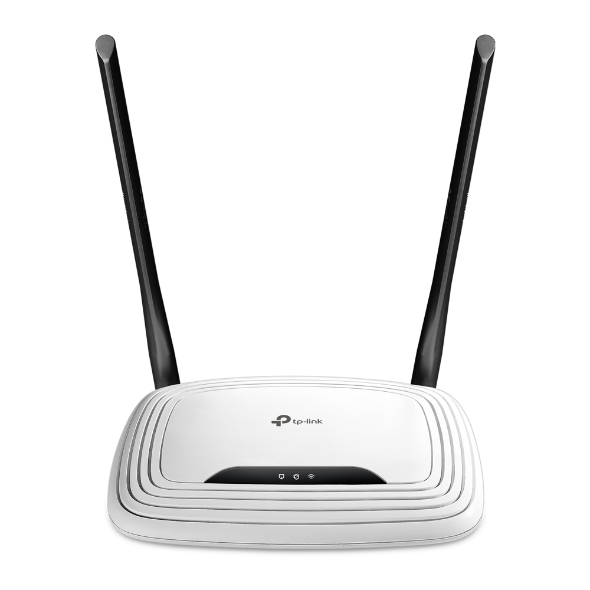
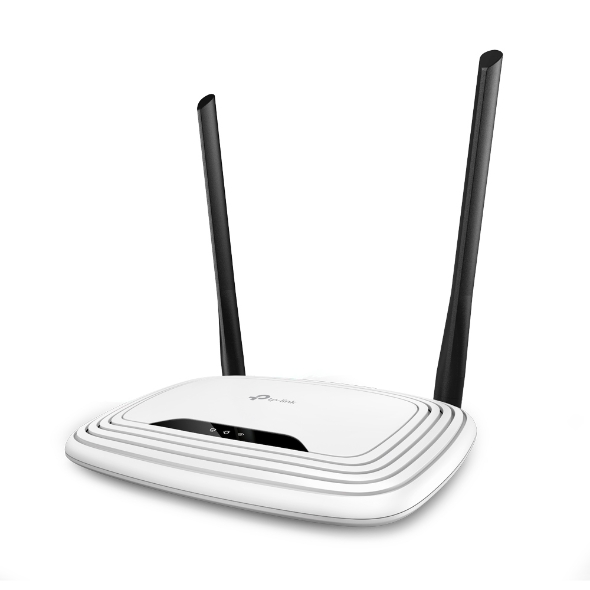
300Mbps Wireless N Router

300Mbps Wireless N Router,,w/2 fixed antennas

300Mbps Wireless N Router

TP-Link’s TL-WR841N is a high speed solution that is compatible with IEEE 802.11 b/g/n. Based on 802.11n technology, TL-WR841N gives users wireless performance at up to 300Mbps, which can meet your most demanding home networking needs, such as HD streaming, online gaming and large files downloading.† Transform your existing wired network to a wireless one. Boost the existing wireless coverage in your room. Connect to the ISP network wirelessly in areas without wired service. Set up the TL-WR841N in minutes thanks to its intuitive web interface and the powerful Tether app. Tether also lets you manage its network settings from any Android or iOS device, including parental controls and access control.
Fabricant TP-Link
Modèle TL-WR841N
UPC 845973051242
Catégorie Networking Wireless SingleBand — Routers & Gateways
Poids 1.1 lbs
Dimensions (boîte) 11.4" × 8" × 3.4" (L×P×H)

Specifications

General

Standards and Protocols Wi-Fi 4IEEE 802.11n/b/g 2.4 GHz
WiFi Speeds N3002.4 GHz: 300 Mbps (802.11n)
WiFi Range 2 Bedroom Houses2× Fixed Antennas
WiFi Capacity Legacy
Working Modes Router ModeAccess Point ModeRange Extender ModeWISP Mode (V14 only)
Network Security SPI FirewallAccess ControlIP & MAC BindingApplication Layer Gateway
Guest Network 1× 2.4 GHz Guest Network
WiFi Encryption WEPWPAWPA2WPA/WPA2-Enterprise (802.1x)
Processor Single-Core CPU
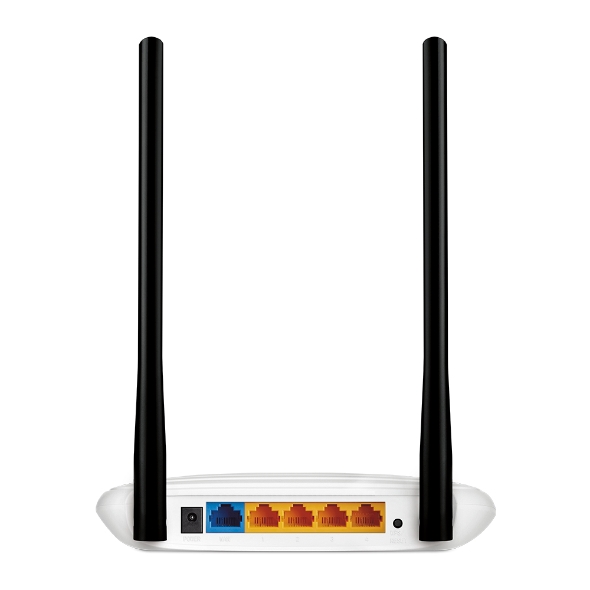
Ethernet Ports 1× 10/100 Mbps WAN Port4× 10/100 Mbps LAN Ports
Buttons Reset Button
Power 9 V ⎓ 0.6 A
Protocols IPv4IPv6
Parental Controls URL FilteringTime Controls
WAN Types Dynamic IPStatic IPPPPoEPPTPL2TP
Quality of Service QoS by Device
NAT Forwarding VIrtual ServerPort ForwardingPort TriggeringDMZUPnP
IPTV IGMP ProxyIGMP Snooping
DHCP Address ReservationDHCP Client ListServer
DDNS NO-IPComexDynDNS
Management Features Tether AppWebpageCheck Web Emulator>
Network Services Enabled by Default Web ServerManage and configure device through web (HTTP/HTTPS)• Port: 80/443   Protocol: TCPDHCP ServerIP address assignment (DHCP)• Port: 67   Protocol: UDPApp managementManage and configure device through app• Port: 22   Protocol: TCP• Port: 20001   Protocol: TCP• Port: 20002   Protocol: UDP
System Requirements Internet Explorer 11+, Firefox 12.0+, Chrome 20.0+, Safari 4.0+, or other JavaScript-enabled browserCable or DSL Modem (if needed)Subscription with an internet service provider (for internet access)
Certifications FCC, CE, RoHS
Environment Operating Temperature: 0℃~40℃ (32℉ ~104℉)Storage Temperature: -40℃~70℃ (-40℉ ~158℉)Operating Humidity: 10%~90% non-condensingStorage Humidity: 5%~90% non-condensing
WiFi Transmission Power CE:<20dBm(2.4GHz)FCC:<30dBm
WiFi Reception Sensitivity 270M: -70dBm@10% PER130M: -74dBm@10% PER108M: -74dBm@10% PER54M: -77dBm@10% PER11M: -87dBm@8% PER6M: -90dBm@10% PER1M: -98dBm@8% PER
Dimensions (W×D×H) 6.9 × 4.6 × 1.3 in(173 × 118 × 33mm)
Package Content Wi-Fi Router TL-WR841NPower AdapterRJ45 Ethernet CableQuick Installation Guide
ProductProductProductProductProductProduct
General
Standards and Protocols Wi-Fi 4IEEE 802.11n/b/g 2.4 GHz
WiFi Speeds N3002.4 GHz: 300 Mbps (802.11n)
WiFi Range 2 Bedroom Houses2× Fixed Antennas
WiFi Capacity Legacy
Working Modes Router ModeAccess Point ModeRange Extender ModeWISP Mode (V14 only)
Network Security SPI FirewallAccess ControlIP & MAC BindingApplication Layer Gateway
Guest Network 1× 2.4 GHz Guest Network
WiFi Encryption WEPWPAWPA2WPA/WPA2-Enterprise (802.1x)
Processor Single-Core CPU
Ethernet Ports 1× 10/100 Mbps WAN Port4× 10/100 Mbps LAN Ports
Buttons Reset Button
Power 9 V ⎓ 0.6 A
Protocols IPv4IPv6
Parental Controls URL FilteringTime Controls
WAN Types Dynamic IPStatic IPPPPoEPPTPL2TP
Quality of Service QoS by Device
NAT Forwarding VIrtual ServerPort ForwardingPort TriggeringDMZUPnP
IPTV IGMP ProxyIGMP Snooping
DHCP Address ReservationDHCP Client ListServer
DDNS NO-IPComexDynDNS
Management Features Tether AppWebpageCheck Web Emulator>
Network Services Enabled by Default Web ServerManage and configure device through web (HTTP/HTTPS)• Port: 80/443   Protocol: TCPDHCP ServerIP address assignment (DHCP)• Port: 67   Protocol: UDPApp managementManage and configure device through app• Port: 22   Protocol: TCP• Port: 20001   Protocol: TCP• Port: 20002   Protocol: UDP
System Requirements Internet Explorer 11+, Firefox 12.0+, Chrome 20.0+, Safari 4.0+, or other JavaScript-enabled browserCable or DSL Modem (if needed)Subscription with an internet service provider (for internet access)
Certifications FCC, CE, RoHS
Environment Operating Temperature: 0℃~40℃ (32℉ ~104℉)Storage Temperature: -40℃~70℃ (-40℉ ~158℉)Operating Humidity: 10%~90% non-condensingStorage Humidity: 5%~90% non-condensing
WiFi Transmission Power CE:<20dBm(2.4GHz)FCC:<30dBm
WiFi Reception Sensitivity 270M: -70dBm@10% PER130M: -74dBm@10% PER108M: -74dBm@10% PER54M: -77dBm@10% PER11M: -87dBm@8% PER6M: -90dBm@10% PER1M: -98dBm@8% PER
Dimensions (W×D×H) 6.9 × 4.6 × 1.3 in(173 × 118 × 33mm)
Package Content Wi-Fi Router TL-WR841NPower AdapterRJ45 Ethernet CableQuick Installation Guide

Contents not available.

Pour les questions fréquentes, consultez le centre d'aide Ubiquiti :

❓ Centre d'aide Ubiquiti

You may also like