TX401

TX401

$129.99
Skip to product information
TX401
Out of stock

TX401

$129.99

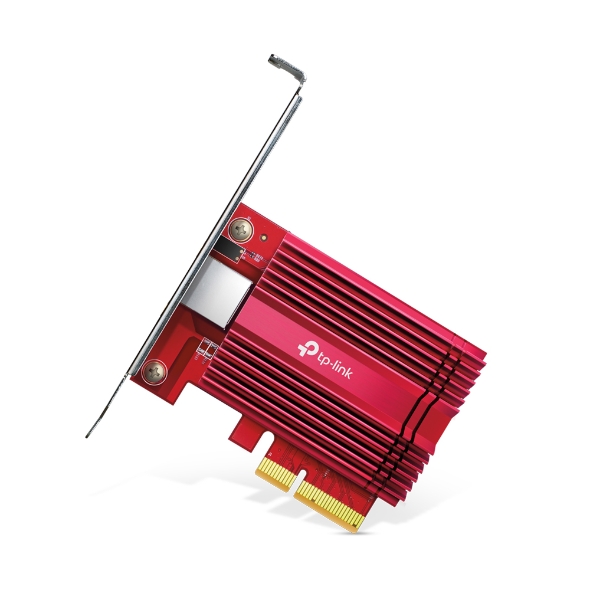
10 Gb PCIe Network Adapter

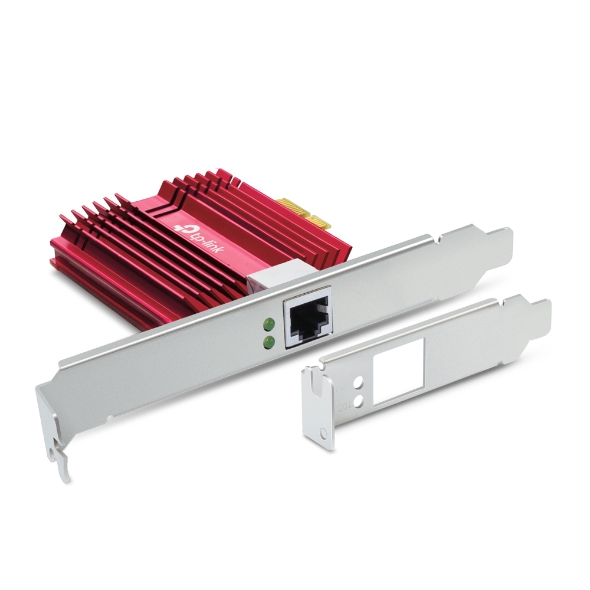
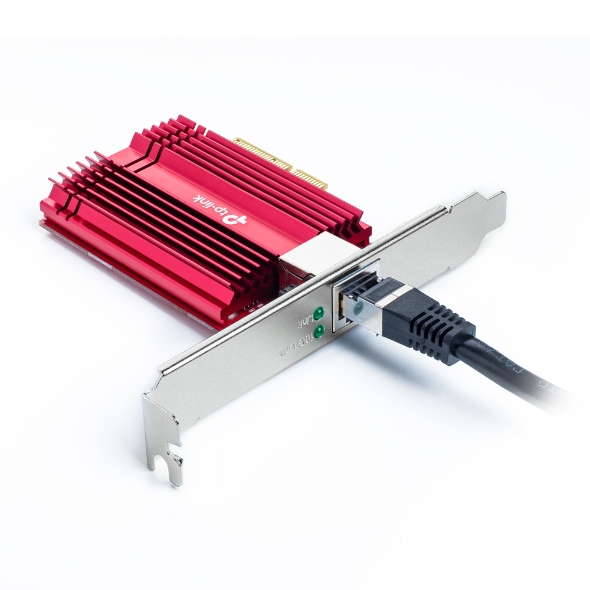
10 Gigabit Speed. Downward Compatible with 5/2.5/1Gbps/100Mpbs. Supports Win7/8/8.1/10, WinServer2016, WinServe2019, Linux. Package includes a low-Profile Bracket and 1 CAT6A cable.

TP-Link 10 Gigabit PCIe Network Adapter

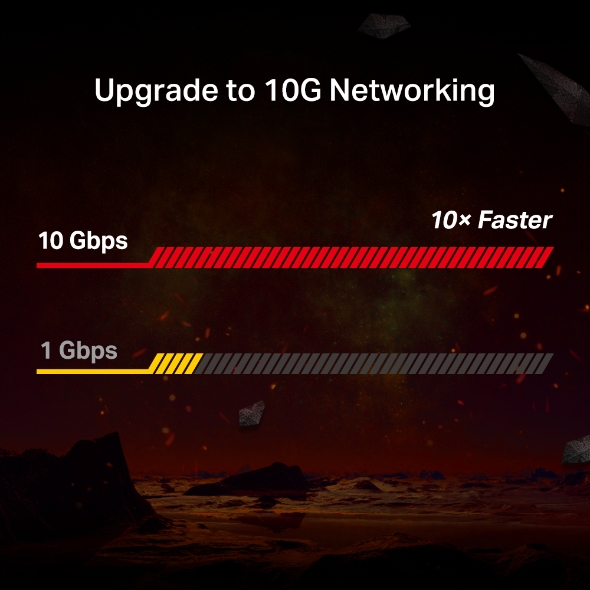
10 Gigabit Ethernet reaches blazing-fast data rates up to 10 billion bits per second—10× faster than standard Gigabit Ethernet. It’s a brand-new era for all your bandwidth-intensive tasks from local data transfers to internet access. Make Full Use of Your High-Speed Internet Access Lightning-Fast Local Data Transmissions High Hardware Configuration for a Powerful Server With 10 Gbps internet access, your gaming will be fully optimized with a large boost in speed, latency, and responsiveness. Large-sized game downloads, seamless live streaming, and massive data backups via the cloud are as easy as choosing your character. For local connections, a 10G PCIe adapter helps build a lightning fast transport channel between a central server and other working machines in your local network. Local data transmissions will be a breeze for you as you handle bandwidth-intensive tasks easily at your home or office. 10GBase-T is backwards compatible with multiple data rates, including 10 Gbps, 5 Gbps, 2.5 Gbps, 1 Gbps, and 100 Mbps Base-T connectivity. The 10G Ethernet port automatically negotiates between higher and lower speed connections, allowing you to upgrade to 10G networking smoothly. Quality of Service technology ensures enough bandwidth and avoids network congestion for PC gaming. It delivers prioritized performance for gamers. LED Indicator for 5/2.5/1 Gbps and 100 Mbps Link/Act LED Indicator for 10 Gbps Link/Act Supports PCI Express Gen3 ×4 for more efficient data transmissions. Simple software installation with the intuitive Utility on the provided CD. Fully compatible with Windows 11/10/8.1/8/7, Windows Servers 2019/2016/2012 R2, Linux.
Fabricant TP-Link
Modèle TX401
UPC 840030701610
Catégorie Networking — NIC Adapters PCIe
Poids 0.65 lbs
Dimensions (boîte) 6" × 7.9" × 1.9" (L×P×H)

Specifications

General

Standards and Protocols IEEE 802.3, IEEE 802.3u, IEEE 802.3ab, IEEE 802.3bz, IEEE802.3an,IEEE802.3az, IEEE 802.3x
Interface 1× PCI Express 3.0 x4, 1× RJ45 Gigabit/Megabit Port
Network Media 10GBASE-T/5GBASE-T/2.5GBASE-T/1000BASE-T/100BASE-TX
LED 10 Gbps Link/Act, 5 / 2.5 / 1 Gbps and 100 Mbps Link/Act
Data Rates 100 Mbps, 1 Gbps, 2.5 Gbps, 5 Gbps, 10 Gbps for Half-Duplex mode,200 Mbps, 2 Gbps, 5 Gbps, 10 Gbps, 20 Gbps for Full-Duplex mode
Dimensions ( W x D x H ) 120.8 × 98.2 × 21.5 mm (4.8 × 3.9 × 0.8 in)
Flow Control 802.3x
Certification FCC, CE, RoHS
Package Content 10 Gigabit PCIe Network Adapter (TX401)Standard/Low-Profile BracketsQuick Installation GuideResource CD1.5 m CAT6A Ethernet Cable
System Requirements Windows 11/10/8.1/8/7, Windows Servers 2019/2016/2012 R2, Linux
Environment Operating Temperature: 0℃~40℃ (32℉ ~104℉)Operating Humidity: 10%~90% non-condensingStorage Humidity: 5%~90% non-condensing
ProductProductProductProductProductProduct
General
Standards and Protocols IEEE 802.3, IEEE 802.3u, IEEE 802.3ab, IEEE 802.3bz, IEEE802.3an,IEEE802.3az, IEEE 802.3x
Interface 1× PCI Express 3.0 x4, 1× RJ45 Gigabit/Megabit Port
Network Media 10GBASE-T/5GBASE-T/2.5GBASE-T/1000BASE-T/100BASE-TX
LED 10 Gbps Link/Act, 5 / 2.5 / 1 Gbps and 100 Mbps Link/Act
Data Rates 100 Mbps, 1 Gbps, 2.5 Gbps, 5 Gbps, 10 Gbps for Half-Duplex mode,200 Mbps, 2 Gbps, 5 Gbps, 10 Gbps, 20 Gbps for Full-Duplex mode
Dimensions ( W x D x H ) 120.8 × 98.2 × 21.5 mm (4.8 × 3.9 × 0.8 in)
Flow Control 802.3x
Certification FCC, CE, RoHS
Package Content 10 Gigabit PCIe Network Adapter (TX401)Standard/Low-Profile BracketsQuick Installation GuideResource CD1.5 m CAT6A Ethernet Cable
System Requirements Windows 11/10/8.1/8/7, Windows Servers 2019/2016/2012 R2, Linux
Environment Operating Temperature: 0℃~40℃ (32℉ ~104℉)Operating Humidity: 10%~90% non-condensingStorage Humidity: 5%~90% non-condensing

Contents not available.
Pour les questions fréquentes, consultez le centre d'aide Ubiquiti :

❓ Centre d'aide Ubiquiti

You may also like